
Your brand,
your ordering station
White-label, multi-channel print ordering platform.
Domain, logo, entity registration, products and pricing all configured per channel. Printing companies already purchase this system to run independently. order.imagecolor.cn is the demo site.
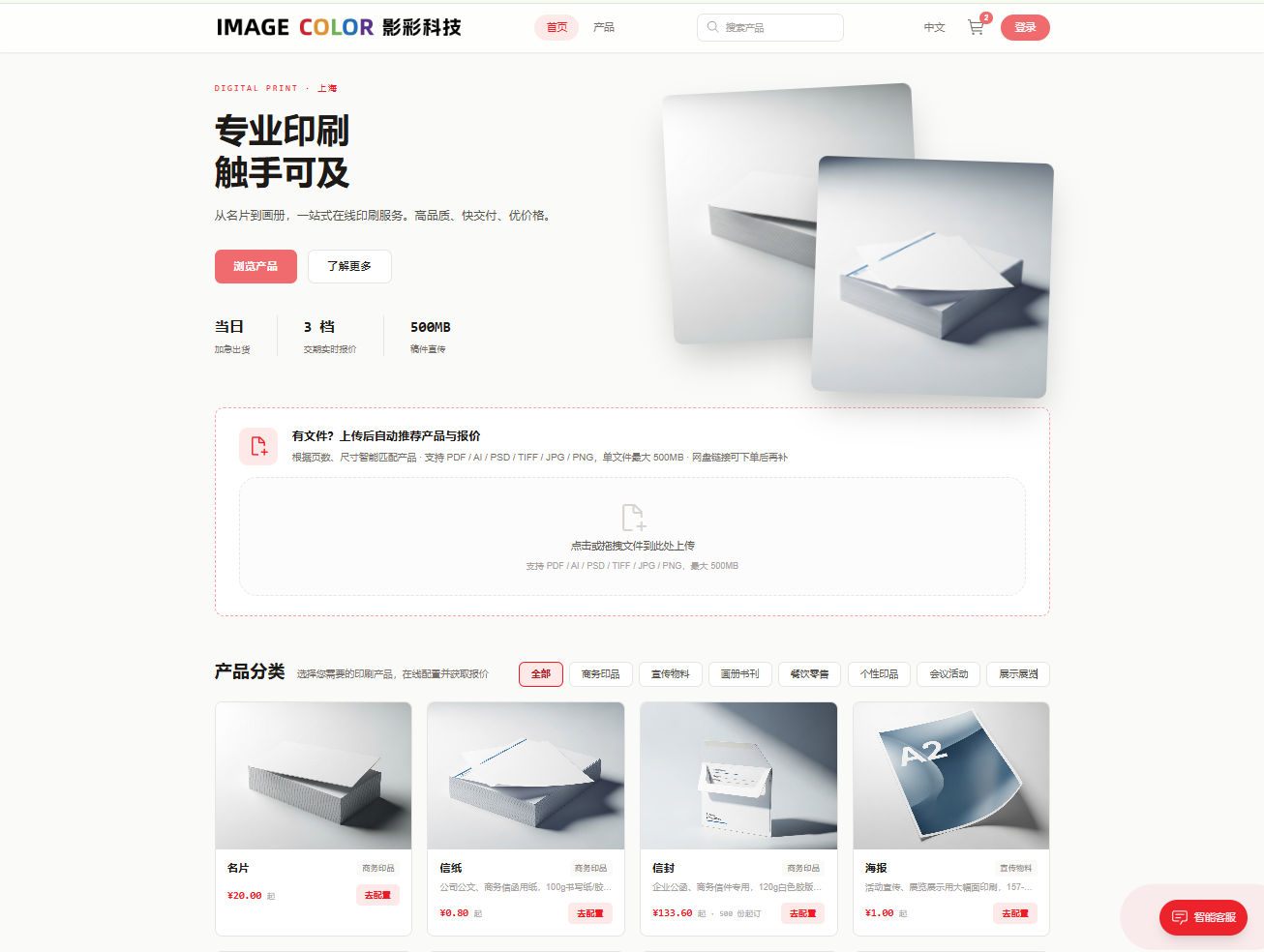
Three frontends, one backend
All three forms share the same backend and the same order data.
Web Store
An ordering site under your own domain: product catalog, online configuration, quoting, payment, invoicing, order tracking. Same pages for desktop and mobile.
WeChat Mini-Program
Native mini-program. Four bottom tabs: Home, Products, Cart, Me. WeChat phone-number login.
PunchOut Procurement
Enterprise buyers jump from their own procurement system to place orders; purchase orders return to their approval chain. Already in use by clients.
Four things customers do themselves
Quotes follow rules; file review by both machine and human.
Online config, instant quoting
Category, process, material and quantity combine into a BOM. Customers configure online and get an instant price. Pricing rules are centrally configured — quotes are consistent and traceable.
Upload files, auto-match product
Recommends products by page count and size with matching quotes, then checks bleed, resolution and color mode — followed by a second manual review.
Payment & account balance
Pay at order time — order status aligns with payment. Supports account balance: offline top-up, balance deduction at order time.
Online invoicing
Customers apply on their own, maintain their own headers; invoice info flows with the order. Supports red-flush reversal; full status trail.
24 categories, 7 groups
Demo site catalog. Categories, materials, processes, sizes and pricing configured per channel.
Cards · Letterhead · Envelopes
Posters · Brochures · Postcards · Flyers
Booklets · Hardcover books
Labels · Order cards · Coupons · Menus · Multi-part forms
Greeting cards · Calendars
Invitations · Badges · Table cards · Conference kits
Roll-ups · X-stands · KT board · Banners
Each category's materials, processes, sizes and minimum order quantities are configurable; pricing follows quantity × delivery tiers.
A standalone mini-program
A separately developed mini-program, not embedded web pages. Configuration, ordering, cart, address and payment all happen in-app.
Invoicing, refunds, stored-value cards, points and coupons are all self-service.
Orders, balance and invoices share the same data as the web store.
After orders come in, the next step is scheduling
The ordering system's output is the production ERP's input — specs, quantities, delivery dates and files all pass through.